

One of the largest hurdles that has existed with a space flight simulator running on a mobile device with limited hardware resources is planet resolution. Typically one is in orbit around a planet at pretty close distance, where it is taking up a substantial portion of screen space, this usually means high quality textures and such. This is something I have been grokking for a while as currently when you approach the surface of a planet, it exists as as giant sphere with a low res texture.
The way Orbiter accomplished this was simply to have High resolution texture packs, with the horsepower of a high end PC behind you, this works no problem however can easily get huge (the moon texture pack was about 4Gb)
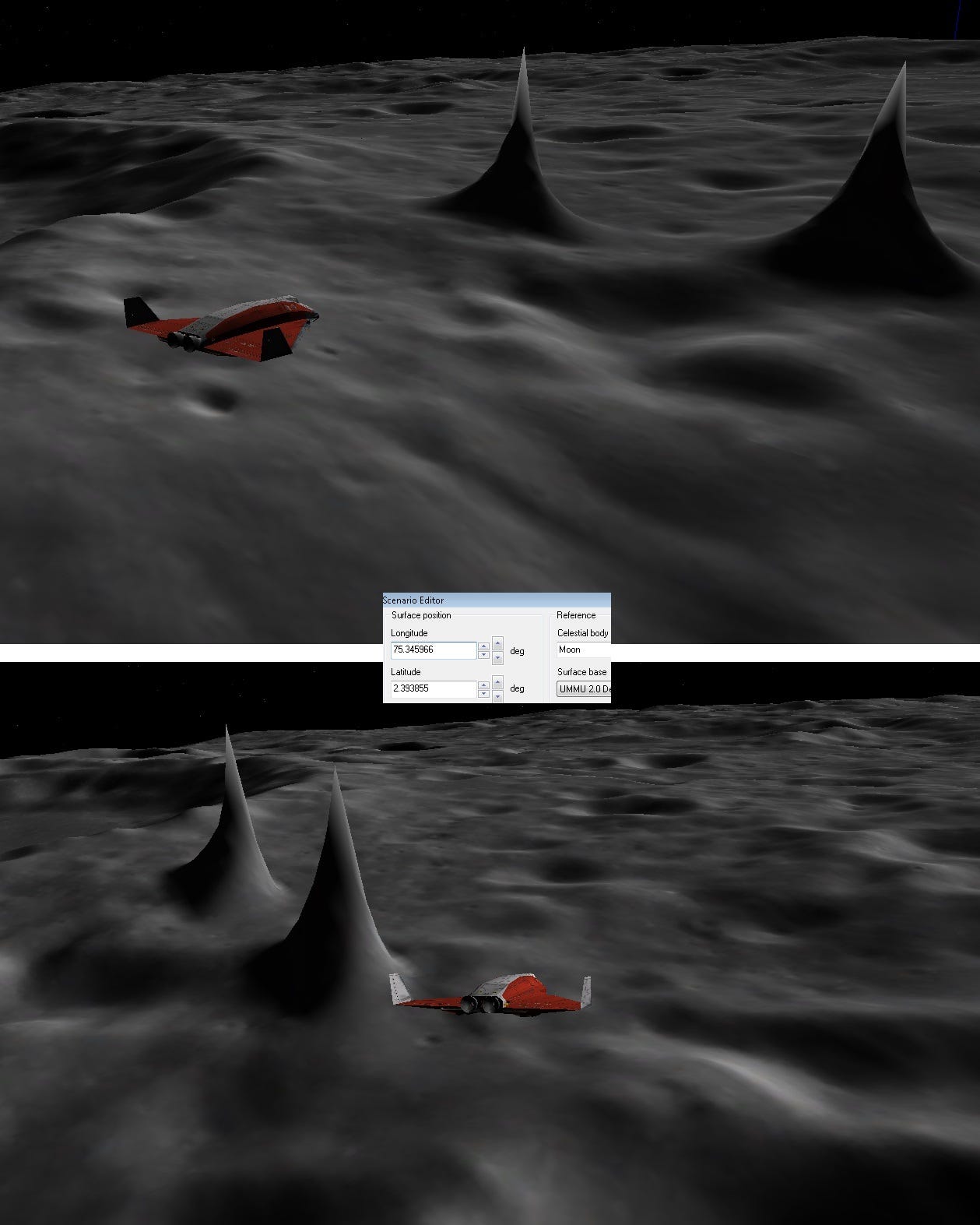
Screenshot from Orbiter 2016 with High resolution moon textures
Mobile devices are limited in the resolution of textures they can support as well as overall file sizes, an android APK (packed executable to run on device) has a hard limit or 2-4Gb depending, there are ways to get around that however efficiency is king. I had a couple solutions that I started testing out a few months back through available plugins on the FAB store, namely the Voxel Plugin, creating a completely Voxelized planet (think Minecraft) and the Worldscape plugin which lent to a more realistic procedural generation of a planet mesh. After on/off testing over several months, I simply for the life of me could not get either of these to render on Android, some sort of incompatibility with the Vulkan renderer and not even close to a priority for either developer of those plugins after discussing it with them. So once again, I was at a cross-roads and chose to make a bold decision.
Entre Nous The Planet Manager
It was simply unrealistic to wait and hope so I started delving into procedural meshes, octrees and quadspheres for mesh generation and, with a little help from Gemini, was able to create a generation system that shows a lot of promise. Effectively what we have now is a planet that generates meshes dynamically at runtime at different levels of detail as needed, based on distance and trajectory of the player. The further away from the player, the less mesh density is required, this keeps the GPU working very efficiently. Here’s an example:
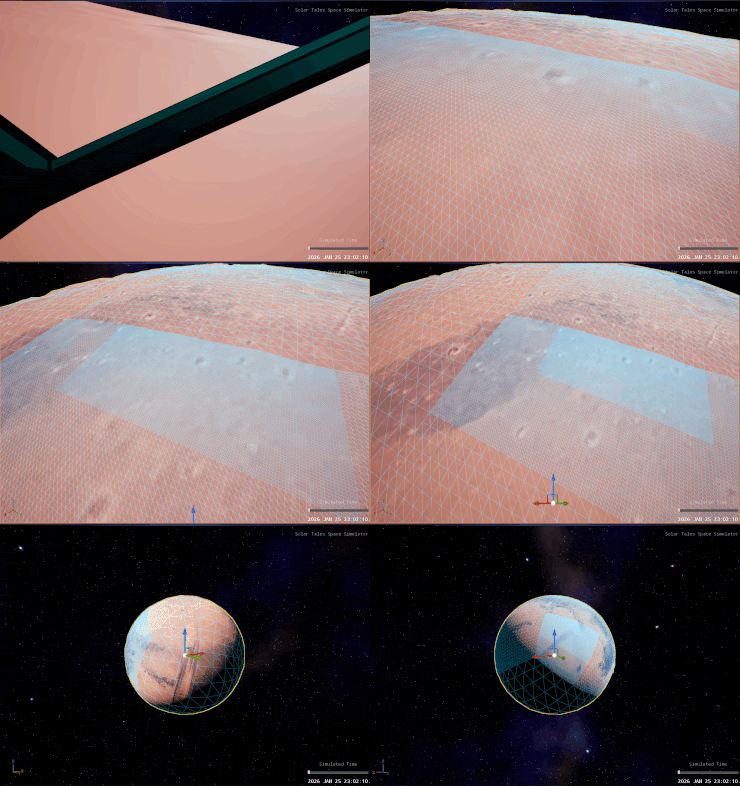
Substack has 10Mb limits for images,
On top of this, it also utilizes actual height maps from NASA’s repository, such that it creates vertex displacement that is actually accurate: eg. if you land in a crater, you can actually land in a crater. On top of that I was able to add some logic to round out the vertex points to make the displacement feel more realistic.
The System generates a quadsphere planet, which basically means it’s a cube turned into a sphere shape, this prevents texture UV pinching close to the poles, which is important, however also meant I needed to accurately translate a spherical unwrapping of NASA’s planet maps (very standard) into a cubic unwrapping for projection on the planet, it took a bit but I figured it out.
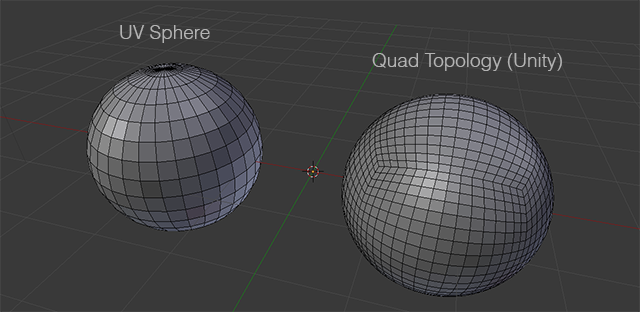
Example regular sphere vs quad sphere
The system also provides a lot of exposed properties to curate needs based on planet and platform, for example the density of every Level of Detail to keep constraints performant and functional on mobile. There are also constraints on streamloading the LODs such as to not hang up or crash the VR headset, there was an awful lot of crashing and bugs testing this and getting it to work. I was close to giving up, forward momentum really slowed to a crawl for a week or so.
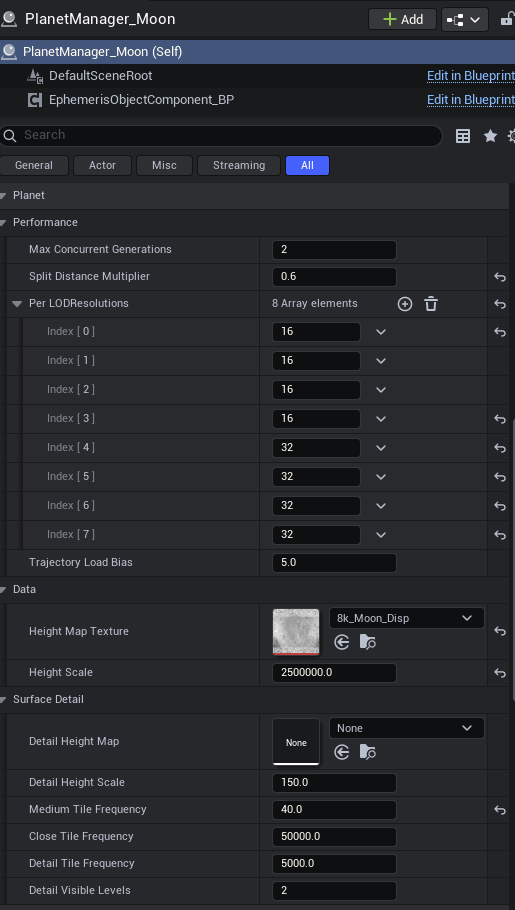
Screenshot of properties for control in the Planet Manager
Material Blending
Mesh generation was only have the issue, the other half being texture resolution, I’m already using an 8K texture for the moon and mobile devices start to struggle with larger than that. I have future plans about trying to enable virtual texture streaming, but in the meantime I created a reasonably elegant solution, at least it works ok. Through lightweight material logic, based on distance to the planet surface, the planet material will blend new, seamless and tileable textures on to add further detail. This is demonstrated in the video.
Summary
All in all, everything is running at 72 fps which is amazing, considering the physics calculations and everything going on to make the simulation accurate (not only is the spaceship moving but the moon is moving as well). There are still bugs and rough-around the edges issues that I will work on addressing but all things considered, I’m extremely happy with this progress and I can see the path forward again that aligns with my long term vision for this project. I will completely admit, using a Meta Quest 3 as my target device has not only provided some unparalleled challenges, but also has done very good on making sure I keep everything optimized and smooth as much as possible, performance is king.


